Import TikTok subtitles into CapCut, Premiere or YouTube with an SRT file
· 5 min read
Retyping subtitles is the slowest part of editing a short video. If the video already has captions on TikTok, the timed text exists and you can take it out as an SRT file instead.
What an SRT file actually is
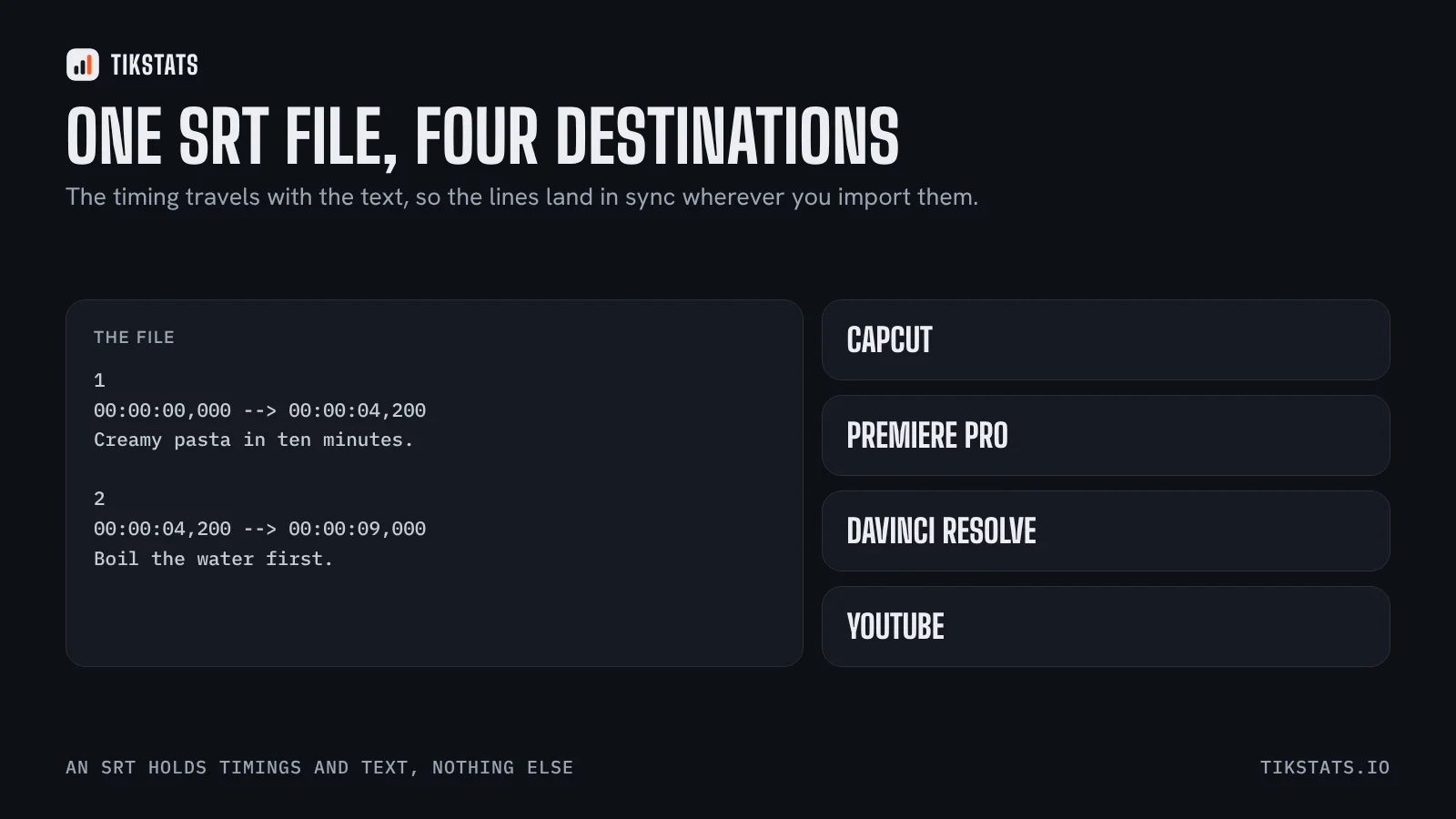
An SRT is a plain text file made of numbered blocks. Each block has a start time, an end time and one or two lines of text:
- 1
- 00:00:00,000 --> 00:00:04,200
- Creamy pasta in ten minutes.
Nothing else. No styling, no font, no position. That is why every editor on the market reads it, and why it weighs a few kilobytes.
Getting the SRT out of a TikTok
The transcript comes from TikTok's own automatic captions, so it only exists for videos that have them. Paste the video link on the transcript page and export as SRT, or use the Chrome extension to do it from the video itself.
A video with music only, or one where the creator turned captions off, has no transcript at all. There is no way around that: the text is not in the public data.
Loading it into each editor
- CapCut: Text, then Local subtitle or Import captions, and pick the .srt file. The lines land on the timeline with their timing.
- Premiere Pro: File, Import, select the .srt. It appears as a caption track you can restyle in the Captions panel.
- DaVinci Resolve: right-click in the Media Pool, Import Subtitle, then drag the track onto the timeline.
- YouTube: in YouTube Studio, open the video, Subtitles, Upload file, With timing.
In all four, the timing comes from the file, so the lines are already in sync with the audio. What you adjust afterwards is the look, not the placement.
Two things to fix before you use it
Automatic captions are good, not perfect. Proper nouns, brand names and numbers are where they fail most often, and those are exactly the words that matter. Read the text once before exporting.
Line length is the other one. TikTok's captions are written for a phone screen, two or three words at a time. If the destination is a wider format, merging short blocks into fuller sentences reads much better.
If the goal is a horizontal version of the video rather than subtitles alone, this article covers the full move.
Why bother at all
Three reasons, in order of how much time they save: subtitles on a reposted video, a searchable text version of your own content, and the raw material for writing the next script. The third one is the least obvious and the most useful; this article goes into it.
The words belong to the creator. If the video is not yours, quote with credit and ask before republishing.
Frequently asked questions
How do I add an SRT file to CapCut?
In CapCut, open Text, then Local subtitle or Import captions, and select the .srt file. The lines land on the timeline with their original timing.
Can I get subtitles from any TikTok video?
Only from videos TikTok generated captions for. A video with music only, or with captions turned off, has no text to export.
Does an SRT file keep the styling?
No. An SRT holds only timings and text. The look is set in the editor you import it into.