TikTok transcript tools compared: what each one actually gives you
· 5 min read
There are two very different ways to get the text of a TikTok video, and they do not produce the same result, cost the same, or fail in the same way.
Two approaches, not one
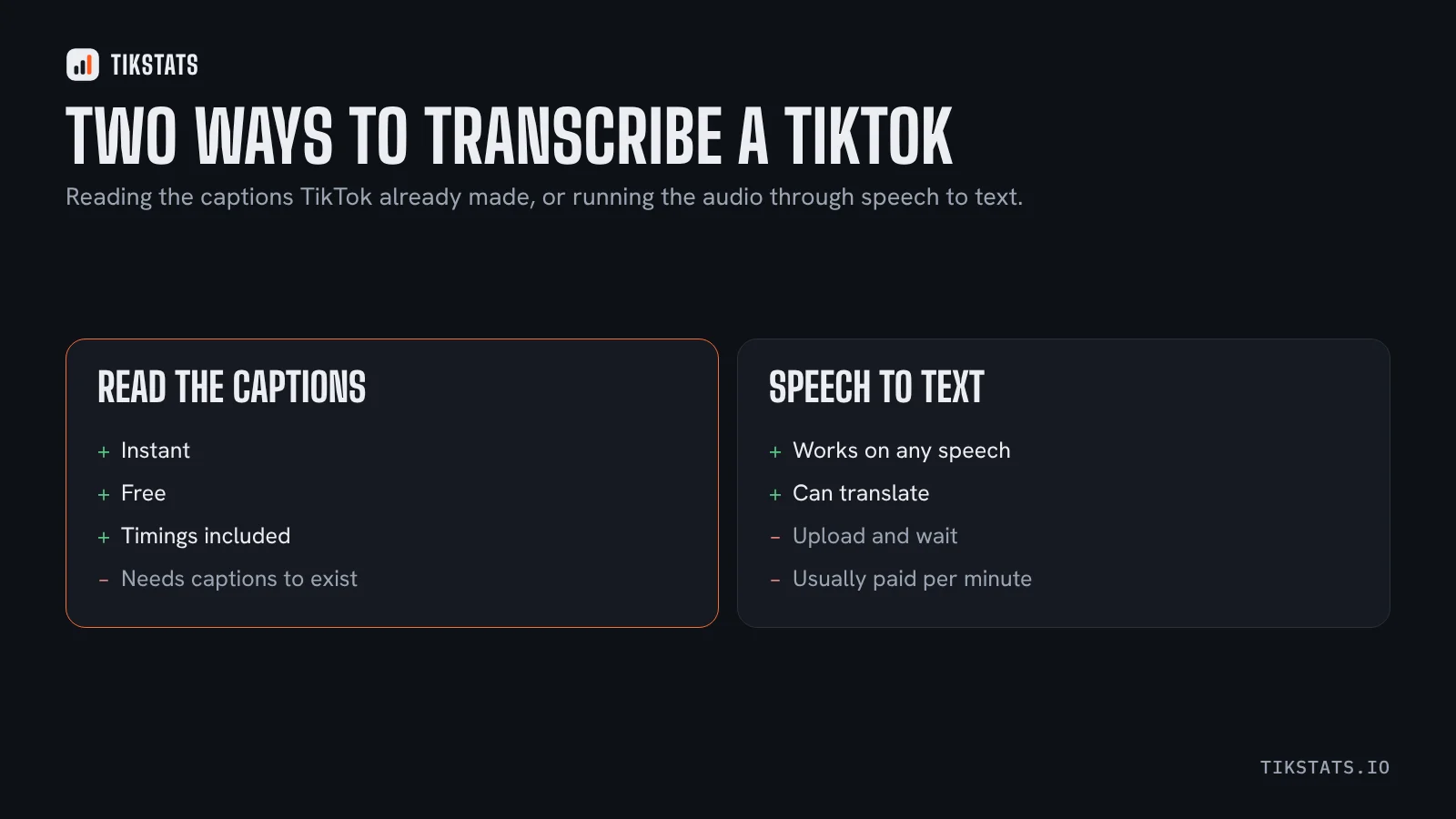
Approach one: read the captions TikTok already generated. The text exists in the video's public data, with timings. Reading it is instant and free, and it fails on videos that have no captions.
Approach two: run the audio through a speech-to-text service. It works on any video with speech, including those without captions, but it means downloading the audio, uploading it somewhere, waiting, and often paying per minute.
When each one is the right choice
- You are studying ten videos in your niche: read the captions. Speed is what matters and most popular videos have them.
- You need the text of one specific video with no captions: speech-to-text, there is no alternative.
- You want subtitles to reuse in an edit: read the captions, because the timings come with them. Speech-to-text gives you timings too, but you pay for them.
- The video is in a language you do not speak: speech-to-text, because many services translate as well.
What TikStats does and does not do
TikStats takes the first approach. Paste a link on the transcript page and you get the spoken text with timecodes, copyable as plain text or exportable as SRT, in a few seconds and without an account. The Chrome extension does the same from the video itself.
What it does not do: transcribe a video that has no captions. If TikTok generated nothing, there is nothing to read, and the tool says so rather than inventing text.
That is a real limit and worth stating plainly, because a tool that silently returns an empty or approximate transcript is worse than one that tells you there is none.
The accuracy question
Automatic captions are produced by TikTok, so their quality is TikTok's. They handle ordinary speech well and struggle with proper nouns, brand names, numbers and heavy background music.
A paid speech-to-text service will often beat them on those specific words. For most uses, including studying hooks or writing subtitles for a repost, the difference is not worth the extra step. For a legal quote or an interview, it is.
Either way, read the text before you publish it. This article covers the two fixes that matter most before importing an SRT into an editor.
Where transcripts sit among the other tools
Most TikTok extensions do analytics and stop there. Transcripts are a separate category, which is why people end up with one tool for numbers and another for text.
For the analytics side, this comparison goes through the main Chrome extensions by the job each one does, and this one explains the hard limit that applies to all of them.
Frequently asked questions
What is the fastest way to get the text of a TikTok?
Reading the captions TikTok already generated. It is instant and free, but it only works on videos that have captions.
Can a tool transcribe a TikTok with no captions?
Only a speech-to-text service can, by processing the audio. Tools that read public data, including TikStats, cannot invent text that is not there.
Are TikTok's automatic captions accurate?
Good on ordinary speech, weaker on proper nouns, brand names and numbers. Read the text before publishing it.